
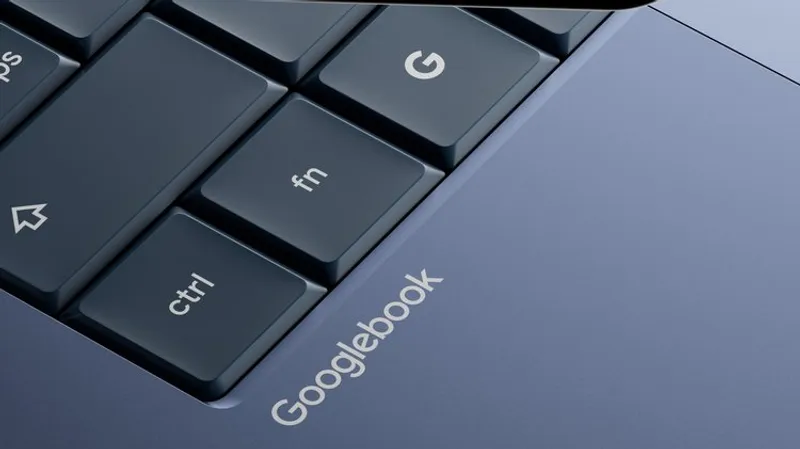
TLDR: Google unveiled The Android Show I O 2026 edition details: Gemini Intelligence, Googlebooks laptops, Android 17 features, Android Auto updates, plus Instagram editing tools and new sharing security. The updates target Galaxy and Pixel phones this summer and broaden to Android 17 later.
Key Takeaways:
- Google used The Android Show as an earlier reveal ahead of I O, pairing new device hardware with Android 17 and ecosystem sharing upgrades.
- Googlebooks laptops built for Gemini Intelligence will work with Android phones, while Gemini for Chrome on Android starts end of June for eligible US devices and subscribers.
- Android 17 adds 3D Noto emoji, Rambler speech to text, Pause Point, and creator upgrades like Screen Reactions, while Quick Share expands toward AirDrop and Android security tightens with new protections.

It is not just a warm up for I O. Google is turning Android into a distributed command center where your phone, laptop, browser, and car infotainment all try to finish the chore before you even finish thinking.
It is not just a warm up for I O. Google is turning Android into a distributed command center where your phone, laptop, browser, and car infotainment all try to finish the chore before you even finish thinking.
Q&A
If Gemini agent features run in the background, what will most users treat as a deal breaker: approvals, data access, or battery drain?
Google says it will require confirmations for sensitive actions and lets users disable features and data sharing. Adoption will likely hinge on how often prompts interrupt flow versus how transparent the UI is during active automation.
Why is Googlebooks framed as compatibility with Android phones instead of a full replacement for ChromeOS?
Google is aiming to win incremental upgrades by making existing Android lifelines feel native on a new laptop. That strategy reduces switching friction compared with forcing users to rebuild file workflows around a new platform.
What happens when Gemini in Chrome connects to Gmail, Calendar, and Keep: will it feel useful or like it is moving too fast?
The utility depends on preview and confirmation design. Auto browsing that can reserve parking will likely generate the sharpest feedback, especially if confirmations arrive too late or too often.
Pause Point creates friction to curb distraction. Could that backfire for people who rely on timers and accessibility workflows?
Google makes turning it off harder by requiring a restart, which signals strong product intent. Users who need uninterrupted screen time may push back, forcing Google to refine allow lists and accessibility aware behavior.
As Quick Share moves toward AirDrop compatibility, does interoperability erase the advantage of each ecosystem’s walled garden?
Partially. Cross device sharing reduces lock in for everyday files, but each platform still controls deeper flows like app specific integrations and security prompts. The winner will likely be the experience that feels instant without asking for too many permissions.
Top in Big Tech
Gemini in Chrome lands on Android this June
Instagram tightens Android HDR with Ultra HDR and Night Sight

Googlebooks pressures Chromebooks by going Android first

Threads users revolt as Meta AI block button disappears

No comments yet. Be the first to share your thoughts!