
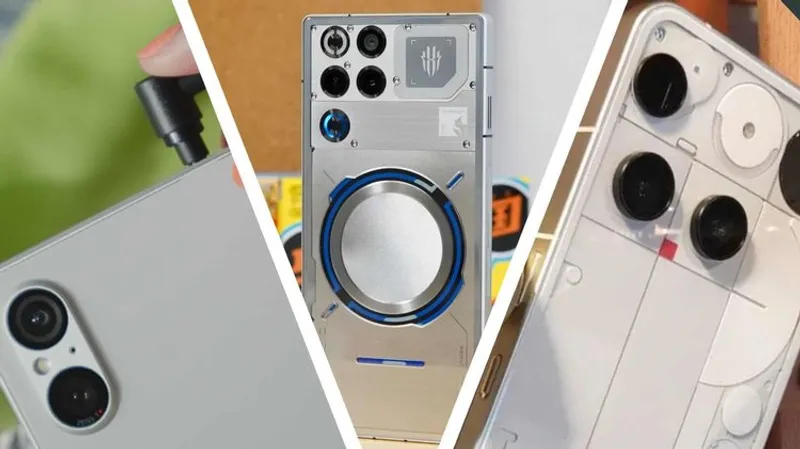
TLDR: A tech reviewer explains how to repurpose old Android phones into practical tools, including a 5G hotspot router, a wired lossless music player, and a reverse charging power bank.
Key Takeaways:
- Old phones often become drawer clutter or e waste, but donation and repurposing can extend their useful life.
- Ideas include hotspot sharing with a 5G SIM using a gaming phone, building a distraction free reading device, and using reverse charging as a power bank.
- Choosing the right secondary use can save money for others and keep devices out of landfills longer, even if your main phone is done.
- A second phone can also serve as a dedicated camera handset and as a backup gaming device that avoids interruptions.

Your old phone does not need a tragic ending. Give it a job, and suddenly your clutter becomes a toolkit for Wi Fi emergencies, lossless listening, and charging your other gadgets.
Your old phone does not need a tragic ending. Give it a job, and suddenly your clutter becomes a toolkit for Wi Fi emergencies, lossless listening, and charging your other gadgets.
Q&A
What settings and apps should you remove first to maximize battery life when converting a phone into a reading device?
Start by deleting social media, streaming apps, and the browser, then rely on a minimal reading app set. Add display filters like grayscale or warm tones and turn on vision protection tools.
Why can a phone work better as a music player than as a daily driver for audiophile style listening?
A music player can run fewer background apps, so you do not constantly fight storage limits, notifications, and syncing. That makes higher quality audio formats easier to manage.
If hotspotting a 5G phone drains it fast, what is the smarter backup plan for travel or move days?
Treat it as a short term bridge, not a permanent replacement. Pair hotspot use with a power bank and keep the device cool to avoid overheating and accelerated battery wear.
How does using a dedicated camera phone change your workflow compared with shooting everything on your daily handset?
It separates review style photos from everyday selfies, and it can speed editing by auto sending images to your PC right after you shoot.
Why can reverse charging be risky for damaged phones, and what should you check before trying it?
A compromised battery can be a safety hazard even if the screen is fine. If the phone shows any sign of rupture, it should not be used for charging anything at all.





No comments yet. Be the first to share your thoughts!