
macOS 27 Golden Gate tests iPad touchscreen control
 MacBook
 Apple
Apple macOS
macOS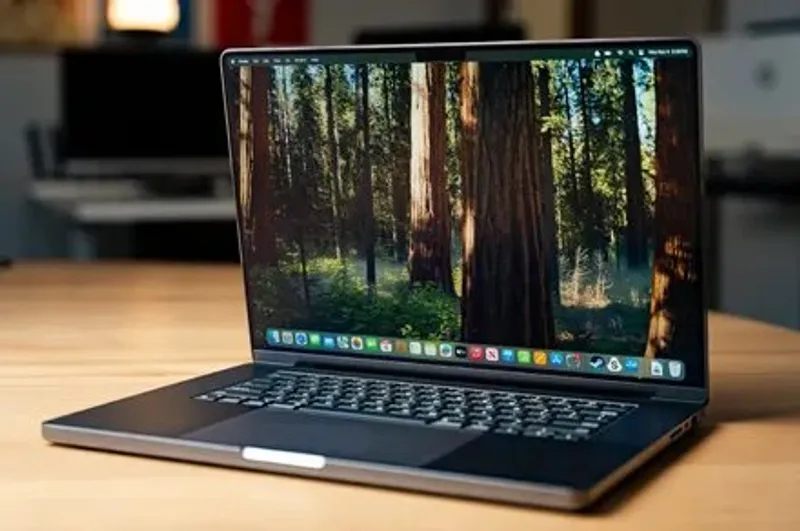
TLDR: macOS 27 Golden Gate beta now lets iPad touch control macOS through Sidecar, plus adds swipe down refresh.
Key Takeaways:
- Apple has long resisted putting touch on MacBooks, even as premium Windows laptops adopted it early.
- With macOS 27 Golden Gate beta, Sidecar can map iPad touchscreen gestures like scroll, pinch, and drag; macOS 26 required mouse or trackpad.
- The Sidecar timing plus a new swipe down to refresh gesture in Safari, Mail, News, Podcasts, and Calendar suggests touchscreen groundwork.

This is the rare software upgrade that feels like hardware practice. If Apple is teaching macOS to think in finger gestures, a touchscreen MacBook stops sounding like a rumor and starts sounding like a schedule.
This is the rare software upgrade that feels like hardware practice. If Apple is teaching macOS to think in finger gestures, a touchscreen MacBook stops sounding like a rumor and starts sounding like a schedule.
Q&A
If Sidecar already accepts iPad touch, what would a touchscreen MacBook still unlock that iPad cannot?
Native touch on the Mac display would enable gesture input without routing through Sidecar latency or display boundaries, and it would likely unlock touch specific UI affordances on the built in screen.
Why would Apple add pinch, drag, and menu selection support via Sidecar before committing to full touchscreen hardware?
It lets Apple validate gesture behavior and app readiness in controlled beta conditions, reducing risk before changing the everyday input model on MacBooks.
How might swipe down to refresh in apps like Safari and Mail affect how people expect Mac navigation to work?
It nudges macOS toward mobile style interaction patterns, which can raise baseline user expectations for refresh behavior across more apps.
What could block the touchscreen MacBook upgrade even if macOS gestures are ready?
Hardware sensing accuracy, battery and display cost, and app level compatibility for reliable touch targets all determine whether touch feels crisp or clumsy.
If Apple eventually enables touch on MacBooks, what lessons from iPhone and iPad input will matter most?
Gesture consistency, predictable scrolling and selection, and clear visual feedback on hit areas will matter more than simply detecting fingers.


No comments yet. Be the first to share your thoughts!